
- Business Hours : Mon - Sat 09:30 AM - 6:00 PM
- +91 88514 30300, +91 94101 03603
NAVISWORKS MEP & BIM COORDINATION
BIM Coordination & Clash Resolution
AUTODESK NAVISWORKS MEP COURSE
Course Overview
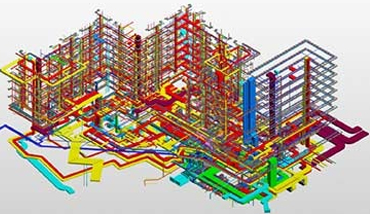
Autodesk Navisworks Manage is the industry’s foremost 3D model aggregation, clash detection, and project review software. It enables MEP consultants, contractors, and project managers to combine 3D models across various CAD and BIM software (Revit, AutoCAD, Tekla, Civil 3D) into a single master federation model.
This course empowers engineers to perform automated hard and clearance clash detection between HVAC ducts, structural beams, electrical trays, and plumbing lines. You will learn to generate actionable HTML/Excel clash matrices, run TimeLiner 4D construction schedule simulations, perform 3D animated walkthroughs, and utilize the Switchback tool to resolve clashes directly in Revit.
What You Will Learn
Clash Detective
Automated hard/soft clash matrix, grouping & status tracking.
4D TimeLiner Scheduling
Linking Microsoft Project / Primavera with 3D model elements.
Walkthrough & Animations
Fly-through camera navigation, viewpoints & client presentations.
Revit Switchback
Instant round-trip coordination to locate & fix clashes in Revit.
Complete Syllabus & Modules
- Navisworks interface, workspace layouts & Navigation tools (Walk, Fly, Look Around)
- Understanding file formats: NWC (Cache), NWF (Federated set), NWD (Published Master model)
- Exporting NWC files from Revit and AutoCAD with optimal coordinate matching
- Appending architectural, structural, mechanical, electrical & plumbing models
- Selection Tree hierarchies & Find Items search queries
- Creating dynamic Search Sets vs. static Selection Sets for automated tracking
- Saving and organizing Saved Viewpoints with camera angles and hidden elements
- Sectioning planes, section boxes & alignment tools
- Redline markups, measurement tools, dimensioning & text tags for design review
- Setting up clash tests between MEP services (Ducts vs. Structure, Pipes vs. Trays)
- Clash types: Hard Clashes, Clearance/Soft Clashes & Duplicate checks
- Tolerances, clash grouping, status assignment (New, Active, Reviewed, Approved, Resolved)
- Generating comprehensive Clash Reports in HTML, XML, and Excel formats
- Using Revit Switchback tool to jump directly to clash coordinates in Revit models
- TimeLiner tab overview, manual task creation & planned vs. actual dates
- Importing schedule files from MS Project, Primavera P6 & CSV files
- Automating task-to-model attachment using Search Sets
- Simulating and exporting 4D construction progress video animations
- Creating smooth animated camera paths and walkthrough fly-throughs
- Scripter interactive events and opening doors/equipment animations
- Exporting high-definition presentation video files for stakeholder reviews
Target Career Opportunities
- BIM Clash Coordinator
- Navisworks BIM Specialist
- MEP Coordination Engineer
- 4D Scheduling & Simulation Engineer
- Digital Construction Lead
Fee Structure
Affordable & Fast-Track
Clash Matrix Templates Included